Everything your committee
keeps in spreadsheets and chats.
SocietyEyes covers the money a society collects, the money it spends, the maintenance bill it argues about, and the notices that get lost. Here is the whole picture.
Collect contributions without chasing screenshots
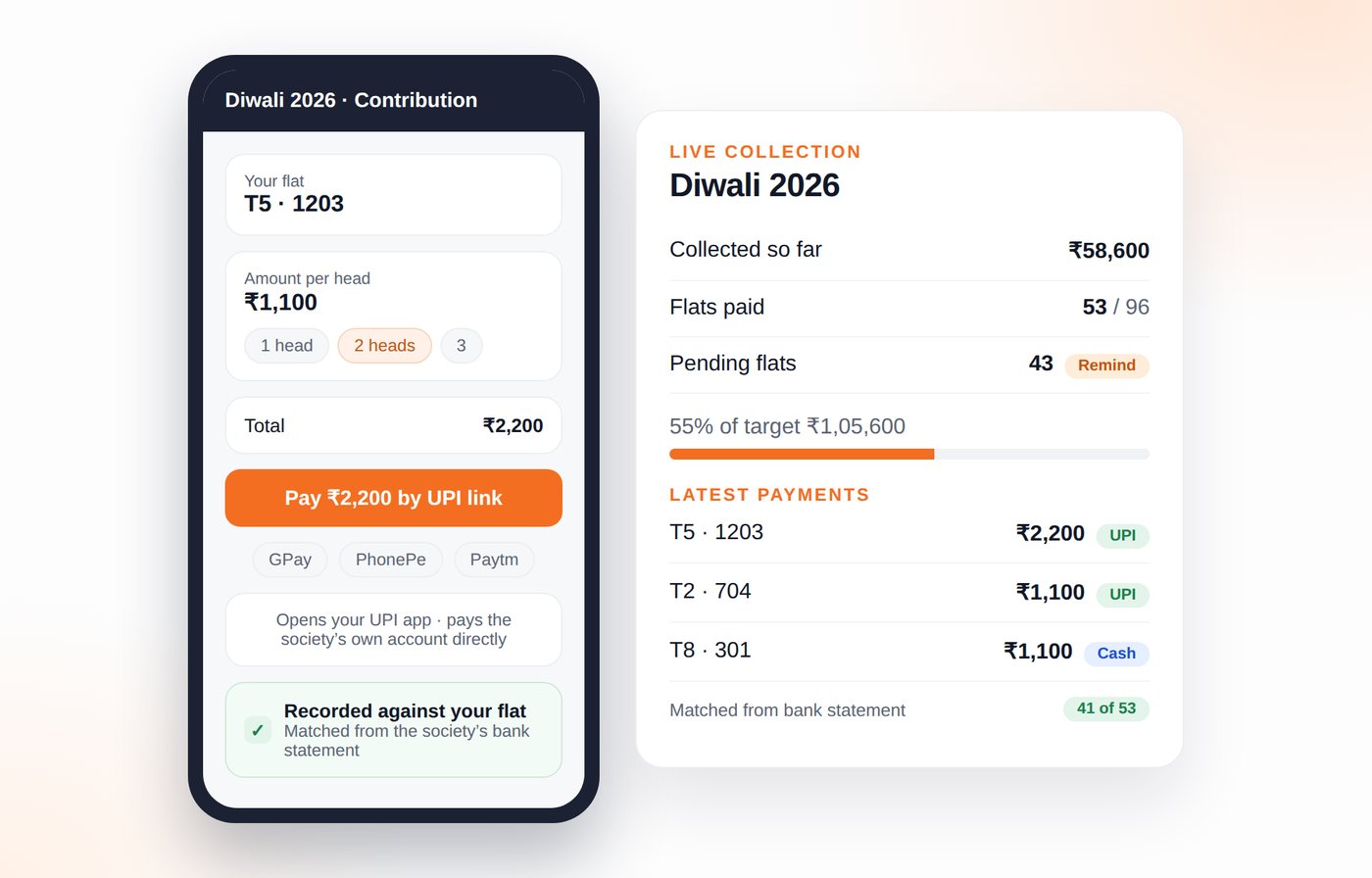
Every resident gets a UPI link with the amount already filled in, and the money goes straight into the society's own bank account — SocietyEyes never holds a rupee. The contribution is recorded against the flat, so the treasurer stops tallying screenshots by hand.
UPI links and QR codes
Tap to open GPay, PhonePe or any UPI app with the society's UPI ID, the exact amount and a reference already filled in.
Money goes straight to the society
Payments land in the society's own bank account. SocietyEyes records them, never receives them — no gateway, no middleman, no charges.
Bank statement matching
Upload the society's statement and payments match themselves to flats by amount, date and reference, so the list builds itself.
One-tap confirmation
Anything the statement can't match, the treasurer confirms in one screen instead of scrolling a chat for screenshots.
Pending flats and reminders
See exactly which flats haven't contributed, and send a polite reminder to just those flats.
Cash and online, side by side
Cash collected by volunteers is recorded next to UPI payments, so nothing sits unaccounted.
Refund tracker
When an event is cancelled, every pending refund stays listed with flat and amount until it is marked paid.
Carry-forward balances
Last event's surplus becomes the next event's opening balance instead of being forgotten.
Every expense with a bill behind it
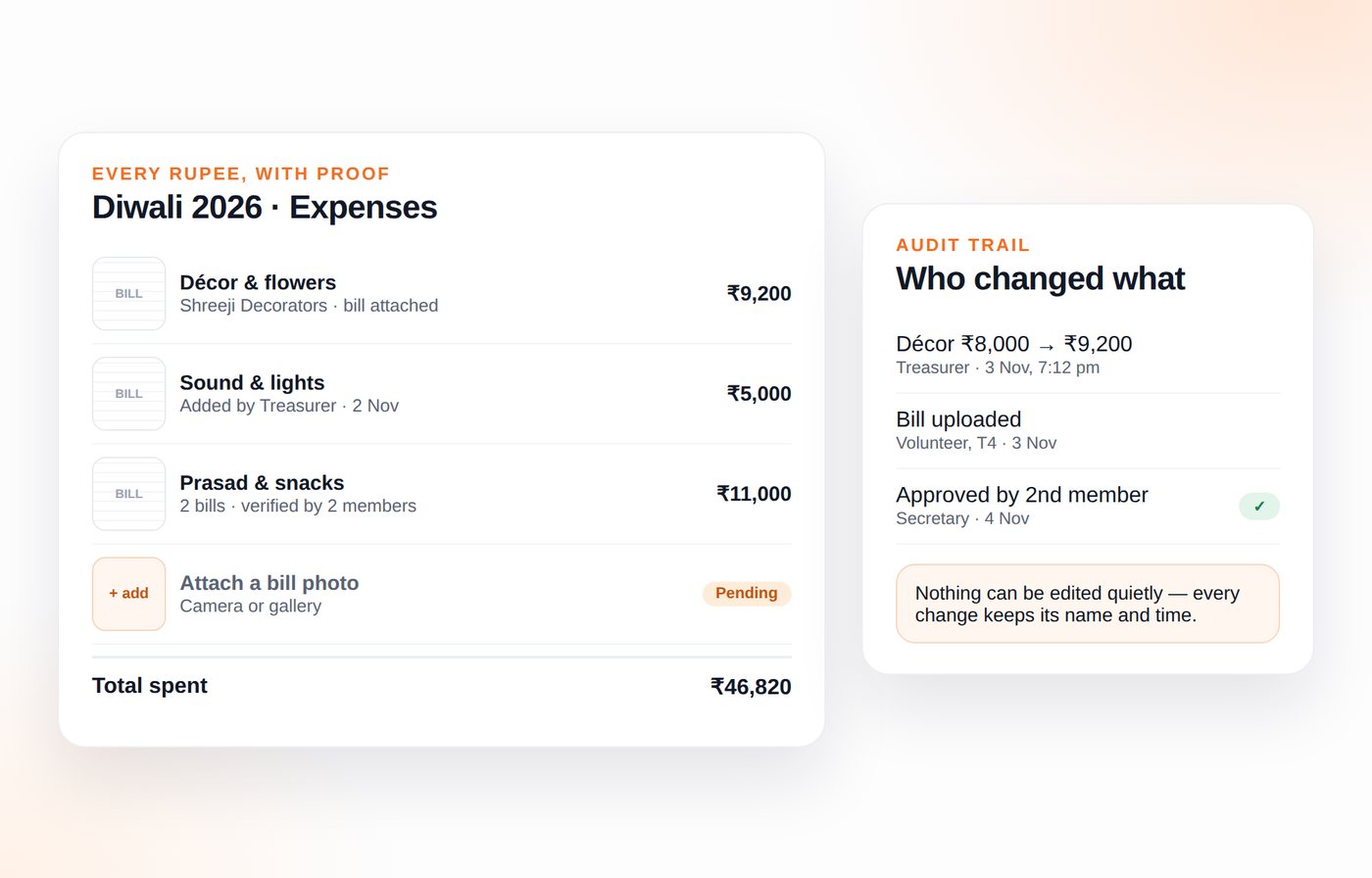
Attach the bill photo to the expense head. "Is décor ₹8,000 or ₹9,200?" is settled by tapping the entry, and every edit keeps the name and time of whoever made it.
Festival accounts
Collections, spending heads, balance and refunds for every celebration, from Diwali and Holi to satsangs.
Bill and receipt uploads
A photo of each bill sits with its expense head, so the amount is never in doubt.
Audit trail
Every entry and edit shows who did it and when, and nothing can be quietly deleted.
Two-person approval
Expenses above a limit need a second committee member to approve before they count.
Petty cash register
Track what volunteers hold in hand and what has been returned after the event.
Annual money report
One page per financial year with every event, total collected, total spent and surplus — ready for the AGM.
Walk into the FM meeting with numbers, not feelings
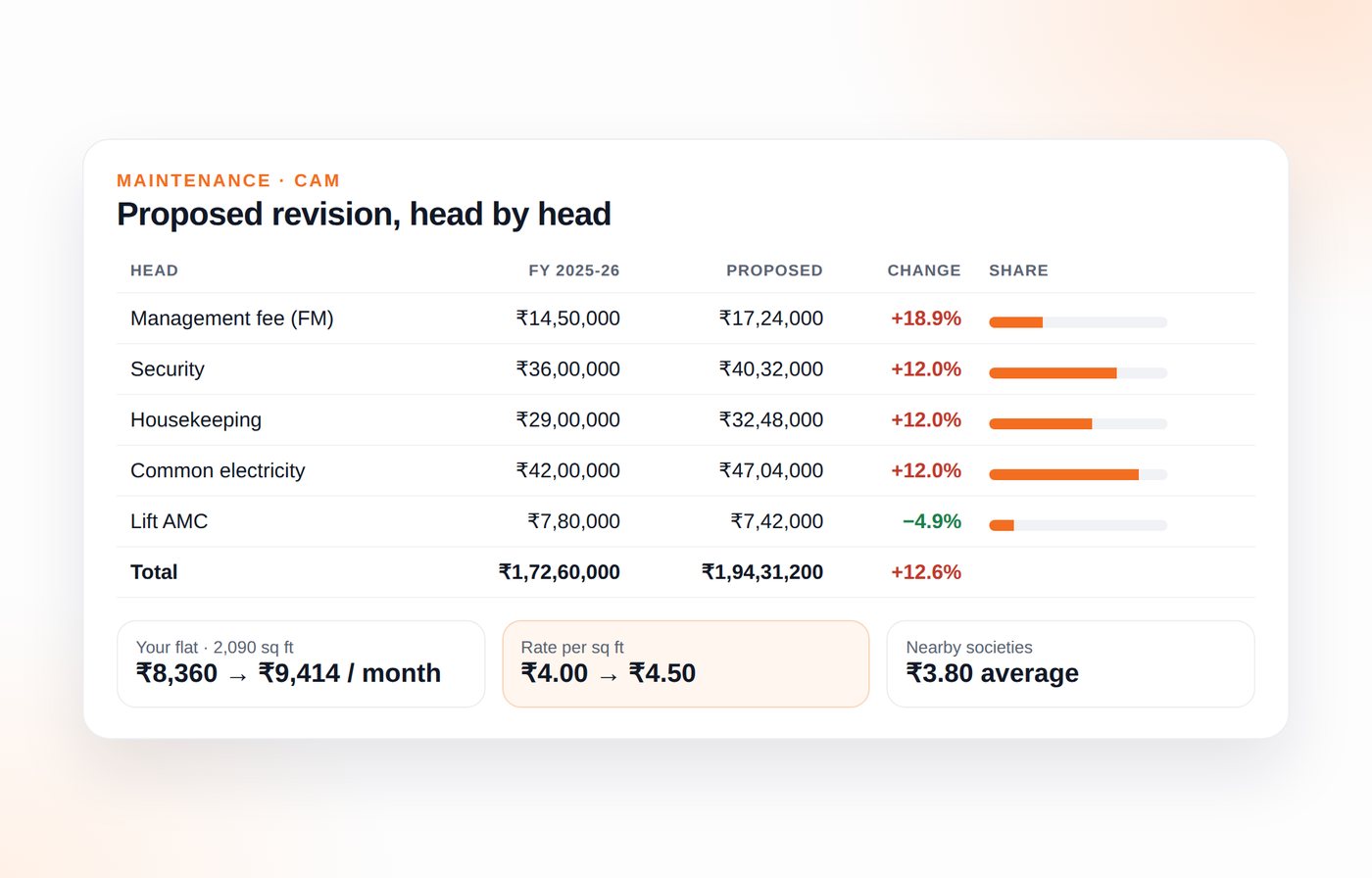
Break the maintenance charge into heads, compare the proposed rate against last year, and show each resident what it means for their own flat.
CAM head by head
Management fee, running costs, one-time upgrades, fixed contracts and miscellaneous — each with what it covers.
Year-on-year comparison
Last year beside this year, with the percentage change on every head, so the ones that jumped stand out.
Per-flat calculator
Enter your flat size and see your monthly charge, and what each head costs you personally.
Statement upload
Upload the facility manager's CAM statement and have the heads filled in instead of typing them.
Benchmarking
Compare your rate per square foot with other societies on SocietyEyes, anonymously.
Dues and interest
Each flat sees its own maintenance payments, dues and any late charges, calculated openly.
Notices that stay, decisions residents can see
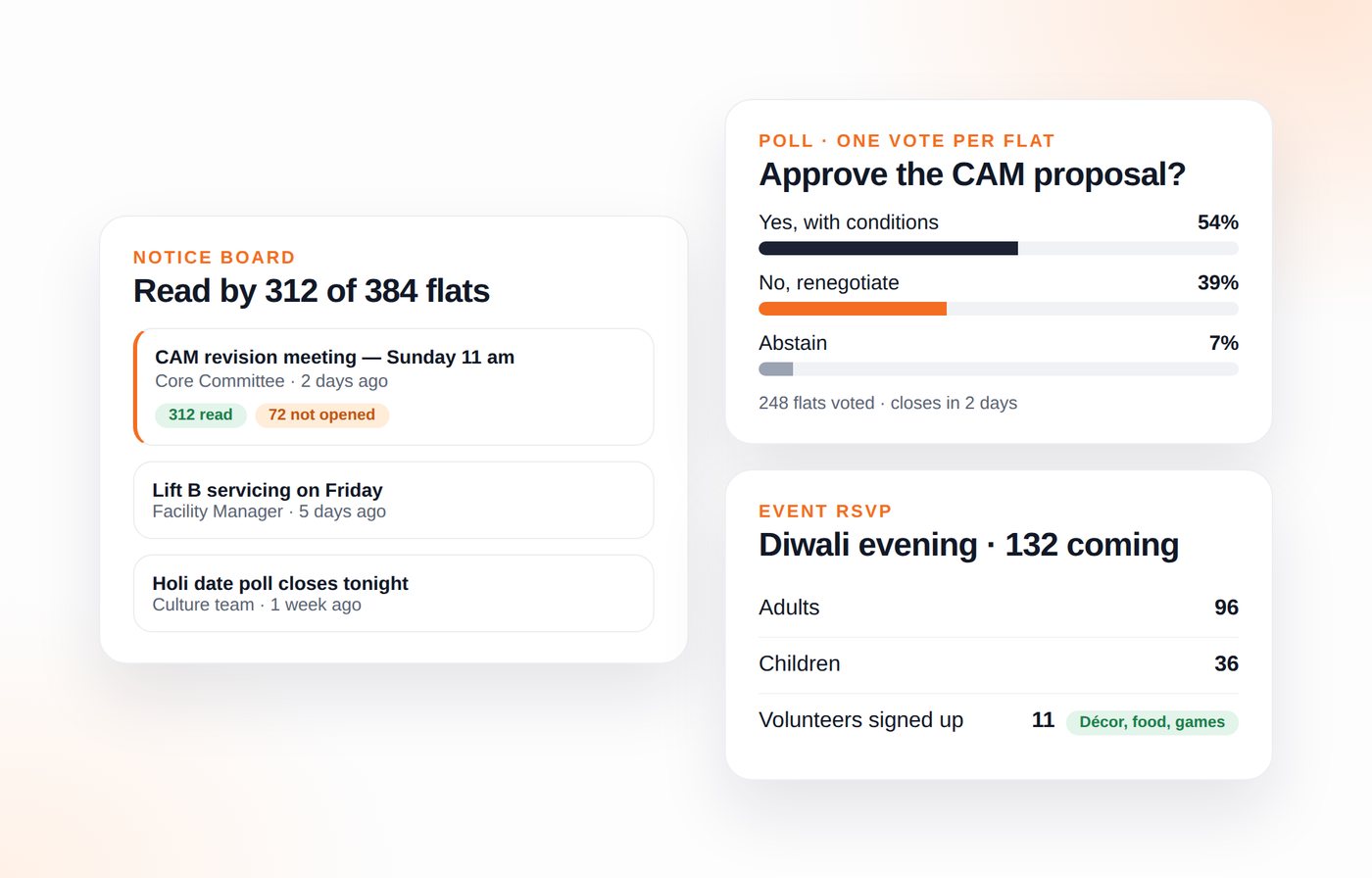
A notice board with read counts, polls where each flat gets one vote, and RSVPs that give you a real headcount before you order the food.
Notice board with read counts
Post once and see how many flats opened it, so "I never saw it" disappears.
Polls and voting
Ask residents to vote on the CAM proposal, a festival budget or a vendor, with one vote per flat.
Event RSVPs
Know the headcount before the event, so caterers and seating come from real numbers.
Volunteer sign-ups
List the jobs for an event and let residents claim the ones they can take.
Complaint tracker
Log a facility complaint, follow its status, and see how long the FM took to close it.
Meeting minutes
Decisions recorded with the date and who attended, searchable months later.
Open to residents, private from everyone else
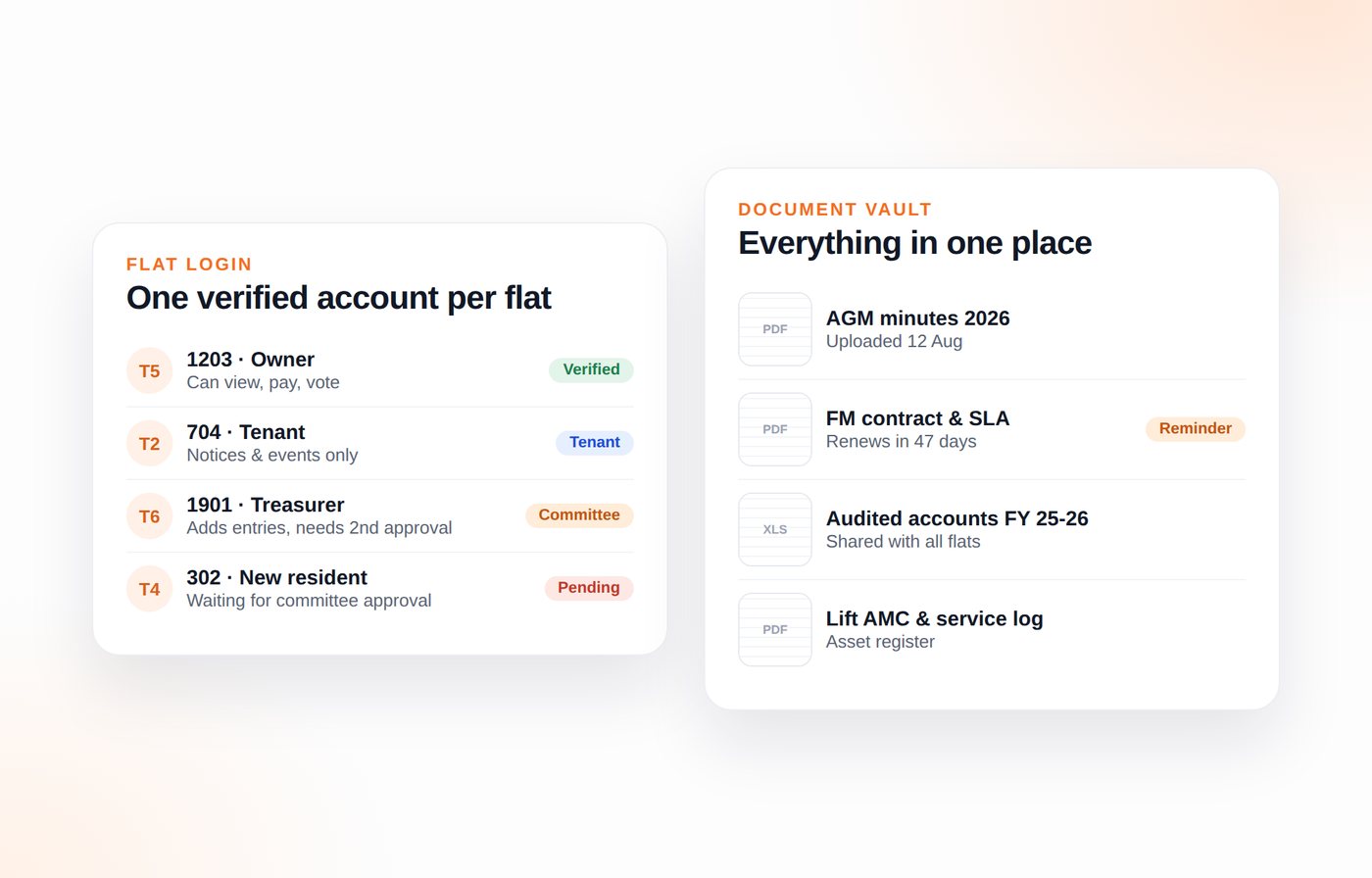
Residents sign in with their mobile number and a one-time code. One number can hold several societies, one flat can carry up to three numbers, and the committee approves each one. Totals can stay public; names and flats never are.
Mobile number sign-in
Sign in with your mobile number and a one-time code — no password. One number can hold several societies.
Up to three numbers per flat (Complete plans)
Free and Standard give each flat one number; Complete allows three — owner, spouse and tenant — each with its own permission — a tenant sees notices, events and totals, not the flat’s dues or contributor names.
Roles and permissions
Committee members add entries, the treasurer approves, and residents view — each sees the right screen.
Owner and tenant tags
Bills reach the owner and event notices reach whoever lives there.
Document vault
AGM minutes, audit reports, FM contracts and RERA papers in one place instead of scattered chats.
Contract reminders
Alerts before the FM, lift, insurance or DG contracts expire, while there is still time to negotiate.
Full history for new residents
Someone who moves in today can read every past account from day one.
Built to live next to your WhatsApp group
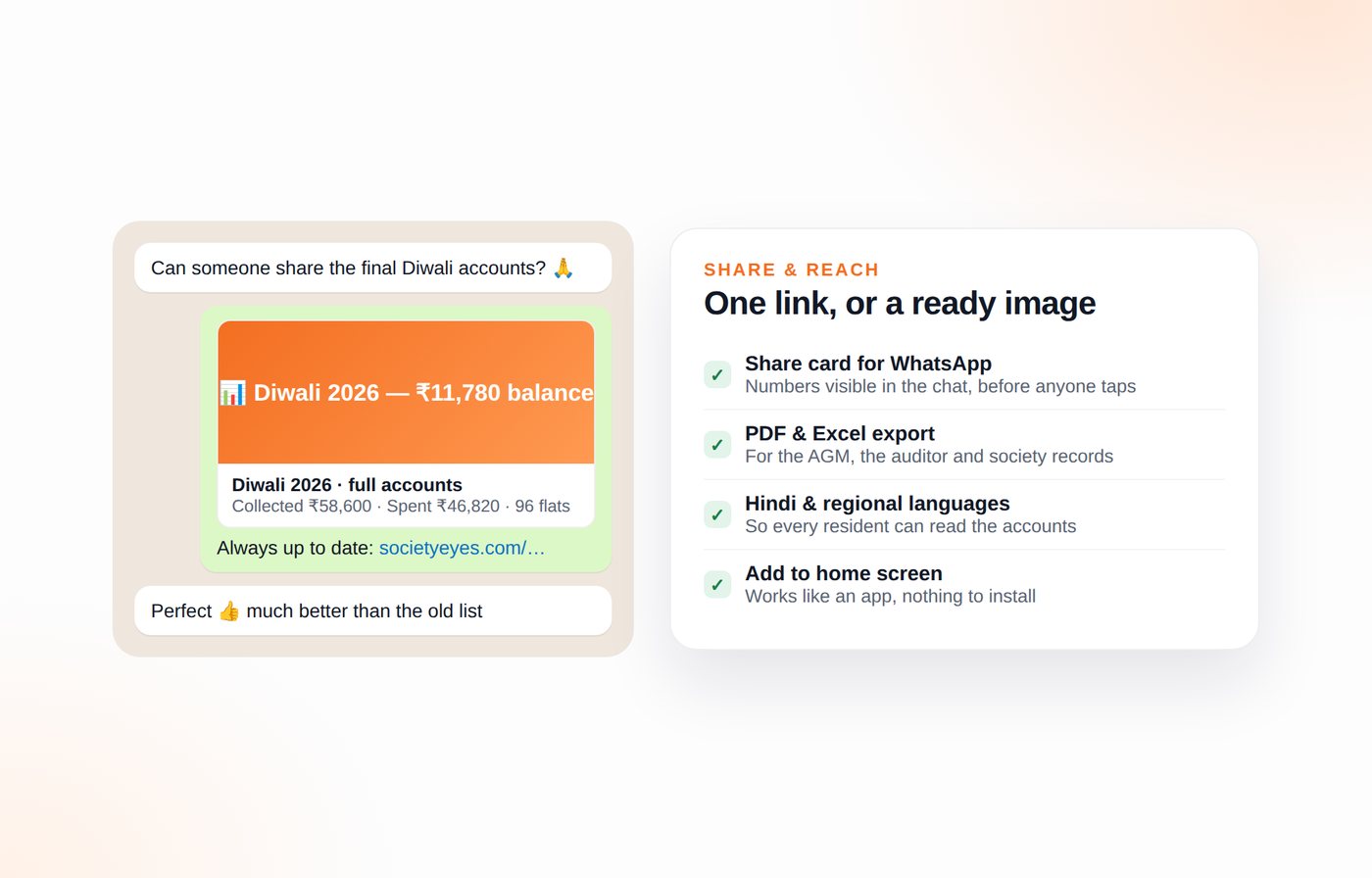
SocietyEyes doesn't fight WhatsApp. Share one link or a ready-made image, and the group sees numbers that are always current.
One link, always current
Share a link to the accounts; add a bill later and the same link already shows it.
WhatsApp share cards
Generate an image of the accounts so the numbers show in the chat even before anyone taps.
Updates the committee enables, the flat controls
The committee switches WhatsApp updates on for the whole society; each flat then picks what it receives — every change, money matters only, or nothing.
PDF and Excel export
For the audit, the AGM or the society's own records.
Hindi and regional languages
Important for the residents who care most about the money and read least in English.
Add to home screen
Works like an app on any phone, with nothing to download.
WhatsApp bot
Message the society number and get the latest accounts back, with no login at all.
A public home for your society
Towers, amenities, specifications, location and committee — one page you can send to a buyer, a vendor or a new resident.
Society profile
Configuration, amenities, specifications and connectivity, compiled and kept current.
Your own domain, free on yearly plans
Your society page served on yoursociety.com, registered in the society's name and renewed free while a yearly society-wide plan is active.
Committee and task forces
Who handles what, and how to reach them.
Public summary, private details
Totals and notices are visible to anyone; contributor names sit behind login.
Vendor register
Who supplied the tent, décor or catering, at what price, with notes from past events.
Quote comparison
Put three quotes side by side before the committee approves one.
Asset register
Lifts, pumps, DG sets and CCTV with service dates and warranty status.
Want one of the planned features sooner?
Societies that join early help decide the order we build in. Tell us which two matter most to your committee.